

Commercial Security
Commercial Security Systems: What Business Owners Need to Know Before Investing
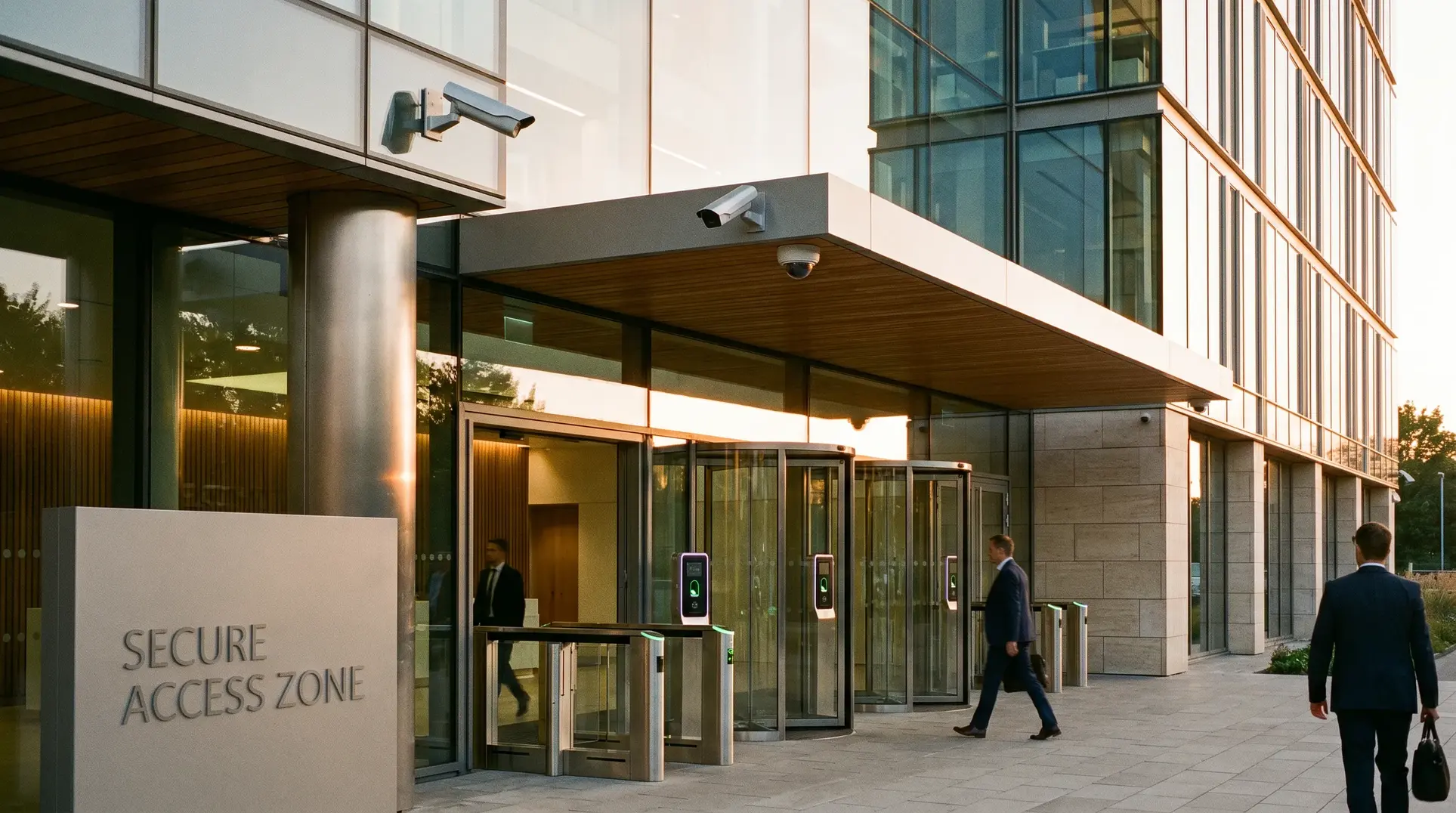
Commercial security systems represent one of the most significant infrastructure investments a business owner or facility manager will make, yet the decision-making process remains clouded by vendor marketing that treats security as a product category rather than an integrated operational system. We see this confusion regularly across our service areas in Canada and the United States: decision-makers who purchased cameras from one vendor, access control from another, and alarm systems from a third, only to discover that these components operate in isolation, creating gaps that compromise both security and operational efficiency. The fundamental problem is that most businesses approach commercial security the way they might approach office furniture—selecting individual pieces based on features and price without considering how everything must work together. This article provides the framework you need to evaluate commercial security as what it actually is: interconnected infrastructure that depends on proper architecture from day one.
This content is designed for commercial decision-makers responsible for building infrastructure: facility managers overseeing multi-tenant properties, property directors managing building portfolios, IT directors coordinating network and security systems, and business owners who need security that works reliably without constant troubleshooting.

Who This Article Is For
This content is designed for commercial decision-makers responsible for building infrastructure: facility managers overseeing multi-tenant properties, property directors managing building portfolios, IT directors coordinating network and security systems, and business owners who need security that works reliably without constant troubleshooting.
This article is not for homeowners seeking residential security solutions or small retail operators looking for basic alarm monitoring. The systems, compliance requirements, and integration challenges we address here apply specifically to commercial environments where multiple access points, user permission levels, audit trail requirements, and uptime standards create complexity that consumer-grade solutions cannot address.
Why Commercial Security Differs Fundamentally from Residential Systems
The most common misconception we encounter is that commercial security is simply residential security deployed at larger scale. This assumption leads to purchasing decisions that create immediate problems and long-term vulnerabilities.
Commercial security systems must accomplish objectives that residential systems never face:
- Multiple user permission levels — Different employees, contractors, and visitors require different access privileges across different zones at different times
- Audit trail requirements — Many industries require documented records of who accessed which areas and when, both for compliance and incident investigation
- Full system integration — Access control, camera, and intercom systems are most effective when they are fully integrated, enabling coordinated responses and unified management across your entire facility
- Multi-building and multi-zone coordination — A single incident may require simultaneous response across multiple access points, camera views, and alarm zones
- Uptime standards — Commercial facilities cannot tolerate the occasional disconnection or reboot that residential users accept
Residential-grade installers who pivot to commercial projects often lack understanding of these requirements. We regularly see the consequences: access control systems that cannot generate the reports compliance requires, camera systems with insufficient bandwidth because network infrastructure was designed for consumer internet use, and alarm systems that cannot coordinate with other building systems because they were never designed to communicate outside their own ecosystem.
The Four Layers of Commercial Security Infrastructure
Understanding commercial security as a layered architecture rather than a product list is essential for making informed investment decisions. Every functional commercial security system depends on four distinct layers working together.
Layer 1: Physical Infrastructure Foundation
This layer includes structured cabling services, network backbone, power redundancy, and the physical pathways that connect all components. Layer one is invisible once installation is complete, which is precisely why it receives insufficient attention during the planning process.
An IP camera system is only as reliable as the network infrastructure supporting it. Access control readers require properly specified cabling to function without latency or dropouts. Video surveillance infrastructure demanding high-bandwidth transmission cannot function on networks designed for basic office computing.
Most security-only providers overlook this layer entirely because they lack the expertise to address it. This is why we provide both security system installation and structured cabling—the foundation determines whether everything above it actually works. BICSI cabling infrastructure standards provide industry-recognized specifications for commercial cabling, and adherence to these standards ensures your infrastructure can support current and future security requirements.
Layer 2: Detection Layer
This includes the components most people visualize when thinking about security: cameras, motion sensors, door contacts, glass break detectors, access control readers, and environmental sensors. These devices collect information about what is happening throughout your facility.
The detection layer receives disproportionate attention during purchasing decisions because these components are visible and their features are easy to compare. However, detection devices are fundamentally collectors of data—they have no value without the infrastructure to transmit that data and the integration to act on it.
Layer 3: Control and Integration Layer
This layer comprises the systems that make individual components work together: video management software, access control platforms, alarm panels, and the integration middleware that enables cross-system communication.
When your access control systems detect an unauthorized access attempt, the control layer determines whether that event triggers camera recording, activates alarms, sends notifications, and logs the incident for later review. Without proper integration at this layer, each subsystem operates in isolation, creating security gaps that sophisticated threats can exploit.
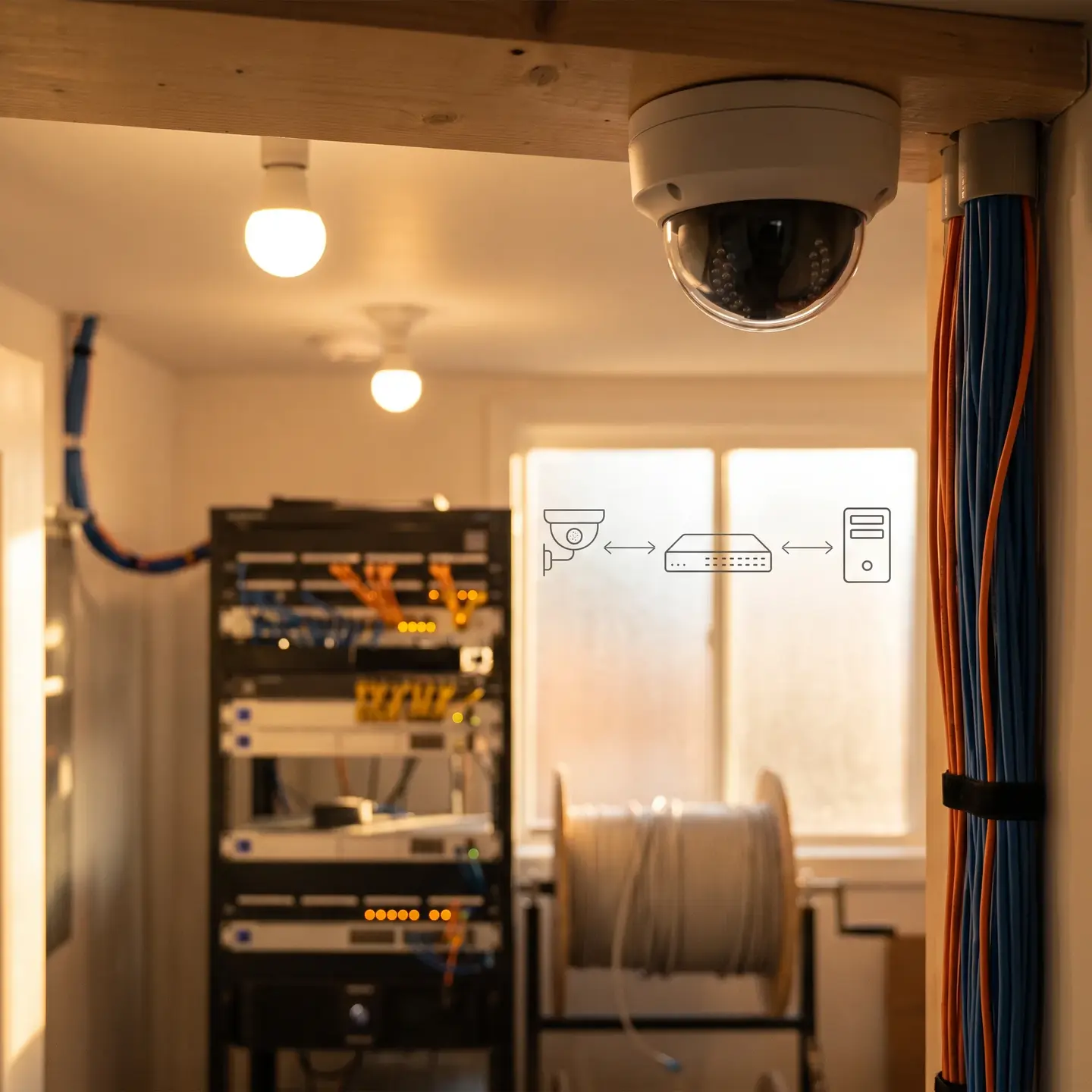
Layer 4: Response Layer
This includes 24/7 monitoring services, alert protocols, emergency response coordination, and the human processes that translate system alerts into appropriate action.
The response layer determines whether detected threats receive timely intervention or sit in a queue until someone checks the system. Professional monitoring with established response protocols represents the difference between security that actively protects and security that merely records incidents for later review.
Common Mistakes: Why Piecemeal Purchasing Creates Security Gaps
The most expensive security systems we encounter are often those assembled incrementally from different vendors over time. Each individual purchase may have seemed reasonable, but the cumulative result creates specific vulnerabilities that integrated systems avoid.
Incompatible Systems That Cannot Share Data
When your access control system cannot communicate with your video surveillance, you lose the ability to automatically pull video of access events. Investigating an incident requires manually correlating timestamps across separate systems—time-consuming work that delays response and may miss critical details.
Security Gaps Between Coverage Zones
Different vendors designing systems at different times often create overlapping coverage in some areas and gaps in others. We frequently audit facilities where perimeter cameras were installed without knowledge of interior sensor placement, resulting in blind spots at critical transition points.
No Unified Response Protocols
When intrusion alarm systems cannot trigger camera recording or access lockdowns, response becomes fragmented. Security personnel must manually activate multiple systems during incidents—assuming they have access to all of them—rather than relying on automated coordination.
Multiple Vendor Finger-Pointing
Perhaps the most frustrating consequence of piecemeal purchasing is the accountability vacuum it creates. When systems fail to work together, each vendor points to the other. The access control provider blames the camera system. The camera vendor blames the network infrastructure. The cabling contractor blames the security integrator. Meanwhile, your facility remains compromised while vendors debate responsibility.
Exponentially Higher Maintenance Complexity
Maintaining relationships with multiple vendors, tracking separate warranty periods, coordinating service calls that affect interconnected systems, and managing multiple software platforms consumes facility management time that should be spent on core operations.
How to Evaluate Whether Your Current System is Truly Integrated
Many facility managers believe they have integrated security systems because multiple components were installed by the same company or because they can access different systems from the same computer. True integration goes deeper.
Ask yourself these diagnostic questions:
- Can all systems be managed from a single interface? — Not simply accessed from one workstation, but genuinely managed with unified controls and consolidated reporting
- Do events in one system automatically trigger responses in others? — When access control detects a forced door, does video surveillance automatically begin recording? Does the alarm system activate? Are notifications sent through a unified channel?
- Can you generate unified reports across all security components? — For compliance and incident investigation, can you produce a single report correlating access events, video records, and alarm activity?
- Is there a single point of accountability for system performance? — When something fails, is there one provider responsible for resolution, or does troubleshooting require coordinating multiple vendors?
- Does your provider understand both the security components AND the network infrastructure they depend on? — Many security issues trace back to infrastructure problems that security-only vendors cannot diagnose or resolve
If you answered “no” to any of these questions, your system has integration gaps that may be creating security vulnerabilities and operational inefficiencies.
Questions to Ask Any Commercial Security Provider Before Signing
The questions you ask during vendor evaluation reveal more about your sophistication as a buyer than the answers reveal about the vendor’s capabilities. Move beyond “do you offer 24/7 monitoring” to questions that expose true competency.
Infrastructure and Integration Questions
- How do you handle network infrastructure requirements for IP-based security systems?
- What happens when components from different manufacturers need to integrate?
- Who is accountable when the access control system and video surveillance do not communicate properly?
- What is your process for system design before proposing products?
Competency and Capability Questions
- What manufacturer certifications do your technicians hold?
- Can you provide references from facility managers in similar industries?
- How do you handle after-hours emergency service?
Long-Term Partnership Questions
- What does your maintenance program include, and what falls outside standard coverage?
- How do you handle system upgrades as technology evolves?
- What is your typical response time for non-emergency service calls?
Our manufacturer authorizations with Kantech, Uniview, Avigilon, Akuvox, and Active Watch represent answers to the certification questions sophisticated buyers ask. These authorizations ensure manufacturer-backed warranties and confirm that our technicians receive ongoing training on proper installation and integration procedures.
ASIS International security management resources provide additional frameworks for evaluating security providers and understanding industry best practices that separate competent vendors from those simply selling products.
The Total Cost of Ownership Beyond Installation
Installation typically represents 30-40% of lifetime system costs. Facility managers who focus exclusively on installation pricing often discover that ongoing costs exceed their expectations and budgets.
Ongoing Cost Categories
Monitoring fees — Professional 24/7 monitoring requires monthly or annual fees that continue for the life of the system. These fees vary significantly based on response protocols, verification procedures, and service level agreements.
Maintenance contracts — Preventive maintenance extends system life and identifies problems before they cause failures. Reactive-only maintenance may seem less expensive until an undetected issue causes system failure during a critical incident.
Software licensing — Video management systems, access control platforms, and integration software often require ongoing licensing fees that can increase over time.
System upgrades — Technology evolution requires periodic upgrades to maintain compatibility, security, and functionality. Systems designed without upgrade pathways become obsolete faster.
Hidden Costs of Poor Integration
Staff time troubleshooting — When systems do not work together properly, facility management staff spend hours diagnosing problems, coordinating vendors, and implementing workarounds.
Multiple vendor coordination — Scheduling service calls that affect interconnected systems requires coordinating multiple vendors’ availability—often resulting in extended downtime or repeated visits.
Security gaps requiring additional coverage — Integration failures often expose vulnerabilities that require additional hardware, additional monitoring, or additional personnel to address.
Working with a single partner for both security systems and structured cabling contains costs through accountability rather than simply competitive pricing. When one provider is responsible for the complete system, troubleshooting happens faster, coordination happens automatically, and finger-pointing becomes impossible.
Compliance and Standards Considerations
Commercial security systems often must meet regulatory requirements that residential installations never face. In Canada, ULC certification for fire alarm monitoring is a critical compliance standard that directly affects insurance coverage and regulatory approval. Ainger provides ULC-certified fire alarm monitoring installations, ensuring that your fire alarm system meets the standards required by insurers and regulatory authorities. This certification is not optional for many commercial properties — without it, you may face insurance coverage gaps and failed inspections that disrupt operations.
ASIS International provides additional frameworks for commercial security standards and best practices. Before signing with any provider, confirm their understanding of applicable codes and their track record with compliant installations in your jurisdiction. Request documentation of relevant certifications and references from clients in regulated industries.
A Framework for Evaluating Your Current Situation
Use this assessment to determine whether your current security infrastructure serves your operational needs or requires attention:
Infrastructure Foundation Assessment
- Was your network cabling designed to support current security system bandwidth requirements?
- Do you have documentation of your cabling infrastructure showing pathways and specifications?
- Can your network support additional IP cameras or access control readers without infrastructure upgrades?
Integration Assessment
- Can you view access events and corresponding video from a single interface?
- Do security events trigger automated responses across multiple subsystems?
- Is one provider accountable for system performance, or must you coordinate multiple vendors?
Response Capability Assessment
- Is your system professionally monitored 24/7?
- Do you have documented response protocols for different incident types?
- Can monitoring personnel verify alarms using video before dispatching response?
Maintenance and Support Assessment
- Do you have a preventive maintenance program, or only reactive service?
- What is the typical response time when you report a system issue?
If your answers reveal gaps in any of these areas, those gaps represent vulnerabilities in your security posture and inefficiencies in your operations.
Moving Forward with Confidence
Commercial security systems succeed when they are designed as integrated infrastructure from the foundation up. The cabling that carries data, the devices that detect threats, the platforms that coordinate responses, and the monitoring that ensures timely intervention must work together as a unified system.
At Ainger Cabling + Security, we approach commercial security as infrastructure architecture because our dual expertise in both security systems and structured cabling gives us visibility into the complete picture. We understand that layer one determines whether layers two through four actually function. We maintain manufacturer authorizations that ensure proper installation and integration. We serve commercial clients across Canada and the United States with technicians who know their markets and can respond when you need support.
Whether you are evaluating a new security investment, auditing an existing system for gaps, or recovering from a piecemeal implementation that never worked properly, the framework in this article provides the starting point for making informed decisions. Commercial security is too important to leave to vendors who see products rather than systems, or to installers who lack the infrastructure expertise to build a proper foundation.
Frequently Asked Questions
When cameras, access control, and alarms come from different vendors, they can’t share data or trigger each other. A unified system ensures events like forced doors automatically start video recording and send coordinated alerts across all security layers.
Commercial-grade systems require multi-user permissions, audit trails, full integration across access control, cameras, and intercoms, and reliable uptime for business continuity. Consumer equipment can’t meet compliance requirements, handle bandwidth demands, or coordinate security across multiple zones.
Buying components separately from different vendors creates blind spots, vendor blame games, and higher maintenance costs. Choose one commercial security provider handling cabling, integration, and all security layers from installation through ongoing support.
Ask yourself: Can you manage everything from one interface, generate cross-system reports, and have one provider accountable? If you answer no to any question, you have gaps in coverage, response times, or maintenance coordination.
Ask about infrastructure planning, single-point accountability for cross-system issues, and long-term costs including monitoring and upgrades. Look for manufacturer-certified commercial security contractors who handle complete installations from cabling through integration.