

Video Surveillance
Security Camera Resolution Guide: Matching Megapixels to Commercial Surveillance Objectives

When facility managers ask us which camera resolution they should choose, the honest answer is usually “it depends.” We know that’s not the satisfying, straightforward response you’re hoping for, but megapixels alone don’t determine whether your surveillance system will capture the evidence you actually need. A 4K camera pointed in the wrong direction or mounted too far from its target can produce less useful footage than a properly positioned 2MP camera. The real question isn’t how many megapixels you can afford. It’s what surveillance objective you’re trying to achieve and how much detail you need at specific distances to accomplish it.
This guide walks through the practical framework we use when designing commercial video surveillance solutions for clients across Canada and the United States. We’ll explain how resolution specifications translate to real-world performance, show you how to calculate coverage requirements for your facility, and help you avoid both under-specification (inadequate detail when you need it) and over-specification (unnecessary costs in equipment, storage, and bandwidth).
Who This Guide Is For (And Who It Isn’t)
This article is written for commercial facility managers, property directors, building owners, and IT directors who are evaluating security camera systems for business applications. You likely manage office buildings, warehouses, retail spaces, multi-residential properties, or industrial facilities and need to make informed decisions about camera specifications that will serve your organization for the next seven to ten years.
This guide is not for residential homeowners looking for doorbell cameras or consumer-grade systems. We’re also not covering analog CCTV systems in depth. While we’ll briefly acknowledge they exist, our focus is on the IP Camera Systems that dominate modern commercial installations.
Resolution Fundamentals: What the Numbers Actually Mean
Resolution describes the total number of pixels in an image, calculated by multiplying the horizontal pixel count by the vertical pixel count. When manufacturers list a camera as “4MP,” they’re telling you the sensor captures approximately four million pixels per frame. Higher pixel counts produce more detailed images, but only when all other factors remain equal.
Here’s how the most common commercial camera resolutions compare:
- 2MP (1080p): 1920 × 1080 pixels, totaling 2,073,600 pixels with a 16:9 aspect ratio
- 4MP (1440p): 2560 × 1440 pixels, totaling 3,686,400 pixels with a 16:9 aspect ratio
- 5MP (1920p): 2560 × 1920 pixels, totaling 4,915,200 pixels with a 4:3 aspect ratio
- 4K/8MP (2160p): 3840 × 2160 pixels, totaling 8,294,400 pixels with a 16:9 aspect ratio
Notice something important: jumping from 2MP (1920 × 1080) to 4MP (2560 × 1440) raises horizontal and vertical resolution by only about 1.33 times each, and the total pixel count by about 1.78 times. This matters because doubling megapixels doesn’t double your effective viewing distance or identification capability. It improves both, but not by the factor you might expect.
The aspect ratio also affects practical application. The 4:3 format in 5MP cameras provides more vertical coverage, making them suitable for corridor monitoring or areas where you need to capture activity from floor to ceiling. The 16:9 format in most other resolutions allocates more pixels horizontally, which works better for wide areas like parking lots, loading docks, or building perimeters.
Matching Resolution to Surveillance Objectives
Here’s where things get practical. The international standard IEC 62676-4:2025 provides a framework that measures surveillance capability in pixels per meter (or pixels per foot) across the target plane. This approach is far more useful than raw megapixel counts because it ties resolution directly to what you’re trying to accomplish.
The standard defines seven operational levels, but for commercial applications, four matter most, shown here in three groups:
- Outline (40 px/m) and Discern (80 px/m): At Outline you can make out an object and its direction of movement; at Discern you can detect objects and their movements and tell whether they are people, vehicles or animals. Sufficient for perimeter monitoring where you simply need to know that someone has entered an area.
- Characterize (250 px/m): You can characterize a person by type, gait, or behavior, or classify vehicle types. This level lets you distinguish between a delivery driver and someone who doesn’t belong, or describe general physical characteristics to responding personnel.
- Validate (500 px/m): You can verify a known person’s identity or capture vehicle registration numbers. Plan for this level at access points, transaction areas, or anywhere you need to verify a person’s identity.
The critical insight is that your required pixel density determines your camera selection, not the other way around. You start with the objective, calculate the pixel density needed, then select cameras and mounting positions that deliver it.
Calculating Coverage Area Based on Resolution
The core formula is straightforward:
Pixel density = horizontal image pixels ÷ scene width at target distance
Rearranging this for practical planning:
Maximum effective scene width = horizontal image pixels ÷ required pixel density
Let’s apply this to a common commercial scenario. You need to capture facial detail sufficient for identity verification at a building entrance. Using the 500 px/m (approximately 152 pixels per foot) validation standard:
- 2MP camera (1920 horizontal pixels): 1920 ÷ 152 = approximately 12.6 feet of effective width
- 4MP camera (2560 horizontal pixels): 2560 ÷ 152 = approximately 16.8 feet of effective width
- 4K camera (3840 horizontal pixels): 3840 ÷ 152 = approximately 25.3 feet of effective width
This calculation reveals why a single 4K camera cannot provide identification-quality coverage across an entire loading dock or parking lot. At 500 px/m, even 4K only covers about 25 feet of width effectively. For a 50-foot loading area requiring identification capability, you’d need multiple cameras, tighter framing, or a different approach like dedicated identification cameras at specific points.
For general detection and situational awareness (80 px/m), the same cameras cover much wider areas:
- 2MP camera: approximately 79 feet of width
- 4MP camera: approximately 105 feet of width
- 4K camera: approximately 158 feet of width
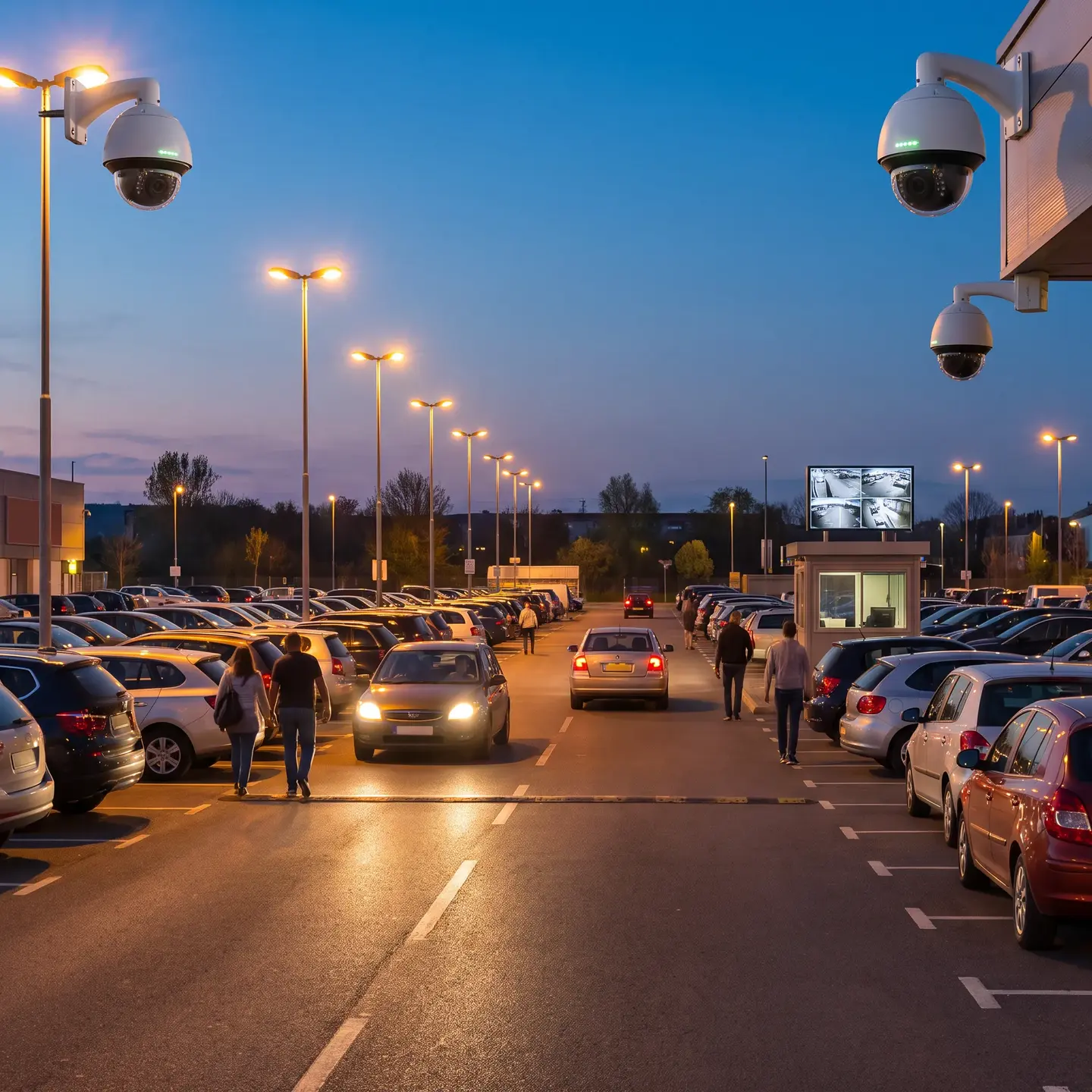
This is why professional system designs typically include both overview cameras and identification cameras. The overview camera shows what happened and where; the identification camera shows who was involved. Expecting one camera to do both jobs usually results in disappointing performance at both.
Why Resolution Alone Doesn’t Guarantee Image Quality
Here’s something we explain to every client considering their first major surveillance installation: megapixels are just one factor affecting usable image quality. A lower-resolution camera with a larger sensor and quality lens may significantly outperform a higher-resolution camera with inferior components, especially in challenging conditions.
Key factors beyond resolution include:
- Sensor size: Larger sensors capture more light per pixel, producing cleaner images with less noise, particularly important in low-light conditions
- Lens quality: Poor optics blur the detail that additional pixels were supposed to capture
- Low-light performance: Most commercial facilities need usable footage 24/7, not just during optimal lighting
- Wide dynamic range (WDR): Entrances, loading docks, and windows create scenes with extreme brightness variations that can silhouette subjects without proper WDR handling
- Motion blur: Fast-moving subjects require short exposure times; this is controlled by shutter speed, not frame rate or resolution
- Compression settings: Aggressive compression removes the detail that high resolution was supposed to provide
When evaluating cameras, request footage samples from installations in similar lighting conditions to yours. A live demonstration in a well-lit showroom tells you very little about how the camera will perform in your parking garage at midnight.
Storage and Bandwidth: The Hidden Cost of High Resolution
This is where many specifications go sideways. Facility managers approve high-resolution cameras without fully understanding that resolution directly impacts network bandwidth requirements and storage consumption throughout the system lifecycle.
Required storage is the number of cameras × storage per camera per day × days of retention. What catches organizations off guard is how quickly that total multiplies across dozens of cameras and longer retention periods.
Beyond raw storage costs, consider the structured cabling infrastructure required. Higher-resolution cameras transmitting multiple streams simultaneously can saturate network uplinks if switch architecture wasn’t designed for that load. This is why we approach resolution as a system-wide infrastructure decision, not just a camera specification.
Resolution Recommendations by Commercial Application
Based on the surveillance objectives most common in commercial facilities, here’s our practical guidance:
Building Entrances and Lobby Areas
This is where facial identification matters most. Specify 4MP minimum with cameras positioned for direct, frontal face capture. Mounting height matters: cameras positioned too high capture tops of heads rather than faces. Consider supplementing with a wider overview camera to capture context and group movement.
Parking Facilities
Mixed objectives typically require mixed solutions. Overview cameras (2-4MP with wide field of view) monitor general activity and movement patterns. Dedicated cameras at vehicle entry/exit points capture license plates. Note that license plate recognition has specific angle and lighting requirements that differ from general surveillance.
Point-of-Sale and Transaction Areas
High resolution (4K) proves valuable here because you need to see transaction details, register displays, cash handling, and the faces of both employees and customers. These cameras typically have tight framing on a small area, so higher resolution provides meaningful benefit without excessive storage burden.
Warehouses and Industrial Spaces
Large open areas benefit from higher resolution (4MP to 4K) for the digital zoom capability that allows operators to examine areas of interest in recorded footage. However, basic detection and activity monitoring in well-lit aisles may be adequately served by 2MP cameras with appropriate placement.
Perimeter Monitoring
Long-range identification is challenging regardless of resolution. Consider the combination approach: thermal detection cameras that reliably detect human presence even in adverse conditions, paired with visible-light cameras that capture usable detail when someone approaches. Alternatively, PTZ cameras can provide identification-quality detail at distance, but only where they’re currently pointing.
Avoiding Over-Specification
We regularly advise clients against automatically specifying the highest available resolution. Here’s when lower resolution is genuinely sufficient:
- Well-lit interior areas with close camera placement: if cameras are mounted 10-15 feet from subjects with good lighting, 2MP provides excellent identification capability
- Detection-only objectives: monitoring fire exits, mechanical rooms, or stairwells where you simply need to know if someone entered
- Areas with infrastructure constraints: older buildings with limited network capacity or storage budget constraints
The diminishing returns of ultra-high resolution (8K and beyond) rarely justify the cost in commercial applications. The bandwidth and storage requirements become extreme, network infrastructure often requires upgrades, and the practical improvement in surveillance capability over 4K is marginal for most objectives.
A more effective approach is often allocating budget toward better cameras at critical points (entrances, transaction areas) while using moderate resolution for general coverage areas.
Future-Proofing Considerations
Security cameras typically remain in service seven to ten years. When planning integrated security systems for commercial facilities, consider:
- Network infrastructure headroom: Install cabling and switch infrastructure that can handle higher throughput than your initial cameras require. Upgrading cameras is relatively straightforward; upgrading cabling infrastructure is expensive and disruptive.
- Storage scalability: Choose recording platforms that allow storage expansion without complete system replacement
- Resolution upgrade paths: Modern network video recorders can often handle mixed-resolution camera populations, allowing gradual upgrades at critical points without wholesale replacement
That said, speculating about resolution needs ten years out is often counterproductive. Specify what you need today with reasonable infrastructure headroom, rather than dramatically over-specifying cameras you’ll replace before your network reaches capacity.
Making the Right Decision for Your Facility
The resolution specification process should follow this sequence:
- Define surveillance objectives by location: What do you need to see at each camera position: detection, characterization, or validation?
- Measure target areas and distances: How wide is the area each camera must cover, and how far from mounting position to the farthest point requiring detail?
- Calculate required pixel density: Apply the formulas above to determine minimum resolution for each position
- Assess environmental factors: Lighting conditions, weather exposure, and dynamic range requirements may influence camera selection beyond resolution
- Calculate system-wide storage and bandwidth requirements: Verify your infrastructure can support the specified cameras
- Balance performance against budget: Allocate higher resolution where objectives demand it, moderate resolution where detection is sufficient
This approach prevents both under-specification (discovering after installation that you can’t identify faces at your main entrance) and over-specification (spending significantly more on 4K cameras when 2MP would accomplish your objectives).
When you’re ready to move from theory to implementation, we recommend a professional site survey that measures actual distances, evaluates lighting conditions, and calculates specific requirements for each camera position. This ensures the system you install delivers the surveillance capability you need, not just an impressive megapixel number on the specification sheet.
For technical standards on resolution calculations and technical standards for network video resolution, manufacturer resources provide detailed methodology that aligns with the IEC 62676-4:2025 framework we’ve outlined here.
Frequently Asked Questions
Resolution cannot compensate for poor lighting, weak lenses, small sensors, motion blur, excessive compression, or poor camera angles. Request footage samples recorded in conditions similar to your facility.
Higher-resolution cameras require more bandwidth and storage, so check recorder, network, and retention capacity before installation.
Usually not. Wide-area cameras provide context, while tighter identification cameras capture facial or transaction detail. Commercial systems often use both types together.
Define whether you need detection, characterization, or identity validation, then measure the target area and distance. Use the required pixel density to calculate the camera resolution and field of view needed.
No. The best choice depends on your surveillance objective, camera placement, lighting, lens quality, and required viewing distance. A well-positioned 2MP camera can outperform a poorly positioned 4K model.