

IP Camera Technology
CCTV Systems vs. IP Cameras: Choosing the Right Technology for Your Facility

If you’re evaluating surveillance options for a commercial facility, you’ve probably noticed that the terminology can get confusing fast. Vendors use “CCTV,” “IP cameras,” and “network video” almost interchangeably, and it’s not always clear whether the newest technology actually serves your building’s requirements or whether a more traditional approach would work just as well. We’ve walked through this decision with facility managers across Eastern Canada and the United States, and what we’ve learned is that the right answer depends entirely on your specific situation—your existing infrastructure, your coverage requirements, your budget constraints, and your long-term operational priorities. This guide provides a practical framework for making that decision, acknowledging that different facilities have legitimately different needs.
Who This Article Is For—And Who It’s Not For

This comparison is written for commercial decision-makers: facility managers, property directors, building owners, Security and IT Directors responsible for security infrastructure in office buildings, warehouses, multi-residential properties, and similar commercial environments. If you’re evaluating a new surveillance system, planning an upgrade from an aging installation, or trying to understand whether your existing setup still makes sense, you’re in the right place.
This article is not for homeowners looking at residential camera packages or DIY enthusiasts installing consumer-grade equipment. We’re focused on professional-grade systems that require proper design, commercial installation standards, and ongoing maintenance—the kind of infrastructure that facility managers are accountable for over the long term.
Understanding the Terminology: CCTV, Analog, IP, and Hybrid Systems
Before we compare technologies, let’s clarify what we’re actually talking about. The terminology in this industry has evolved faster than the language people use to describe it.
CCTV (Closed-Circuit Television) historically referred to analog surveillance systems where cameras transmitted video signals over dedicated coaxial cables to a central recording location. The “closed circuit” meant the video wasn’t broadcast—it stayed within a private system. Today, “CCTV” is often used as a general term for any surveillance system, which creates confusion when comparing technologies.
Analog systems still operate on this traditional model:
- Cameras connect via coaxial cable (typically RG59 or RG6)
- Video is recorded on Digital Video Recorders (DVRs)
- Each camera requires its own cable run back to the recorder
- Power is typically provided separately from the video signal
IP cameras (Internet Protocol cameras) are fundamentally different:
- Cameras connect via Ethernet cabling (Cat5e, Cat6, or fiber)
- Video is recorded on Network Video Recorders (NVRs) or server-based Video Management Systems
- Cameras operate as network devices with their own IP addresses
- Power over Ethernet (PoE) can deliver both data and power through a single cable
Hybrid systems bridge both technologies, allowing facilities to maintain existing analog cameras while adding IP cameras to the same recording platform. This approach often makes sense for phased upgrades where complete replacement isn’t practical.
Understanding these distinctions matters because the technology choice drives infrastructure requirements. When a vendor recommends a system, you need to know whether they’re talking about leveraging your existing coaxial cabling or requiring new structured cabling throughout your facility—two very different project scopes.
When Analog CCTV Still Makes Sense
We’re going to say something that might surprise you: analog CCTV isn’t obsolete. Despite the industry’s enthusiasm for IP technology, there are legitimate scenarios where traditional analog systems remain the appropriate choice.
Facilities with Extensive Existing Coaxial Infrastructure
If your building already has coaxial cable runs to 40, 60, or 100 camera locations, the cost of replacing all that cabling with structured Ethernet infrastructure can exceed the value you’d gain from IP cameras. Modern HD-over-coax technologies (HD-TVI, AHD, HD-CVI) allow you to achieve 1080p resolution using your existing coaxial cabling, providing a meaningful upgrade without the infrastructure overhaul.
Budget-Constrained Projects
When the priority is adequate coverage at the lowest responsible cost, analog systems can deliver. A small warehouse that needs basic deterrence and incident documentation—not facial recognition or advanced analytics—may be well-served by a straightforward analog installation. The savings can be redirected toward other security priorities like access control or improved lighting.
Simple Monitoring Requirements
Not every facility needs video analytics, remote smartphone access, or integration with building management systems. If your requirements are straightforward—local monitoring, basic recording, and occasional footage retrieval—analog systems fulfill that need reliably.
Network Security Considerations
In some environments, keeping surveillance systems physically separated from IT networks is a deliberate security decision. Air-gapped analog systems don’t present the same network attack surface that IP cameras do. For facilities with strict cybersecurity requirements or sensitive operations, this isolation can be a feature rather than a limitation.
The key is honest assessment of your actual requirements rather than assumption that newer automatically means better for your situation.
IP Camera Advantages: When Modern Technology Delivers Real Value
For many commercial facilities, IP cameras offer capabilities that genuinely improve security operations and justify the infrastructure investment. Here’s where the technology makes a meaningful difference.
Resolution and Image Quality
IP cameras commonly support resolutions from 1080p through 4K (8 megapixels) and beyond. This isn’t just marketing—higher resolution translates to practical advantages:
- Reading license plates from greater distances
- Identifying individuals in wider-angle coverage areas
- Digitally zooming on recorded footage without losing useful detail
- Covering more area with fewer cameras while maintaining identification capability
For facilities where evidentiary quality matters—retail environments, loading docks, parking structures—this resolution advantage can be decisive.
Power over Ethernet Simplification
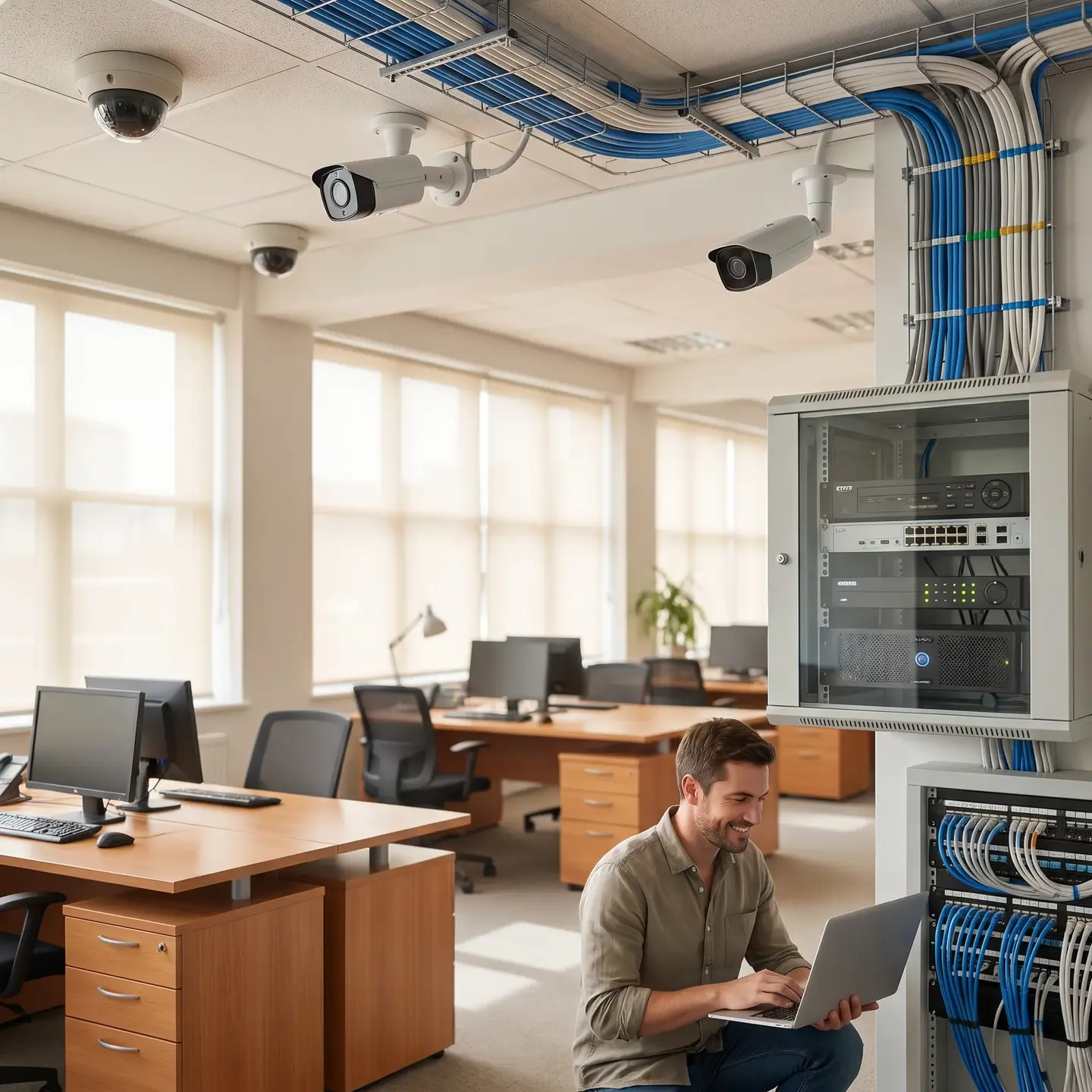
PoE technology allows a single Ethernet cable to carry both data and power to each camera. As noted in technical guidance on PoE cameras, this eliminates the need for separate power runs or local outlets at each camera location. Standard PoE provides approximately 15 watts per port, while PoE+ supports higher-draw devices like PTZ cameras or units with heaters for outdoor installations.
For new construction or major renovations, PoE significantly reduces installation complexity. For facilities already investing in structured cabling services for data networks, adding IP camera infrastructure becomes an extension of existing work rather than a parallel project.
Scalability and Flexibility
Adding cameras to an IP system typically means connecting to available switch ports rather than running new home-run cables back to a DVR. If your network infrastructure has capacity, expansion becomes straightforward. This matters for growing facilities, phased build-outs, or properties where coverage requirements evolve over time.
Remote Access and Management
IP systems allow authorized users to view live video and retrieve recordings from anywhere with network access. For property managers overseeing multiple buildings or facility managers who need to respond to incidents outside business hours, this capability provides operational flexibility that analog systems can’t match.
Integration Potential
Because IP cameras operate as network devices, they can integrate with access control systems, building management platforms, and security operations software. When someone badges into a mechanical room, the corresponding camera can automatically bookmark that moment in the recording. This integration streamlines incident investigation and creates richer operational data—though it requires thoughtful system design rather than simply connecting equipment.
Hybrid Approaches: Upgrading Incrementally
Most facilities we work with aren’t starting from scratch. They have existing analog systems that still function, limited budgets for complete replacement, and a preference for spreading capital expenditure across multiple budget cycles. Hybrid approaches address this reality.
Encoder-Based Integration
Video encoders convert analog camera signals to IP streams, allowing existing cameras to feed into a modern NVR or Video Management System. This approach lets you:
- Centralize recording and management for both analog and IP cameras
- Add IP cameras in high-priority areas while maintaining analog coverage elsewhere
- Preserve your coaxial infrastructure investment while gaining IP system benefits
Phased Replacement Strategy
Rather than replacing everything at once, many facilities upgrade strategically:
- Phase 1: Install IP cameras at building entrances, loading docks, and other high-priority locations
- Phase 2: Add coverage in parking areas and perimeter locations
- Phase 3: Replace remaining analog cameras as they reach end-of-life or as cabling projects provide opportunity
This approach maintains security coverage throughout the transition, spreads costs across budget cycles, and allows you to learn from each phase before committing to the next.
Tribrid Recording Platforms
Modern recording systems often support analog, HD-over-coax, and IP cameras simultaneously. This flexibility means you’re not locked into a single technology—you can deploy whatever makes sense for each location while maintaining unified management.
Infrastructure Requirements: What Each Approach Demands
Camera selection drives infrastructure decisions that significantly affect total project scope. Understanding these requirements helps you anticipate actual costs rather than being surprised by cabling bids.
Analog System Infrastructure
- Cabling: Individual coaxial runs from each camera to the DVR location
- Power: Separate power supply—either local outlets or centralized power distribution
- Recording: DVR capacity based on camera count, resolution, and retention requirements
- Network: Minimal network requirements; remote access typically provided through DVR’s network port
IP Camera Infrastructure
- Cabling: Structured cabling (Cat5e/Cat6) from cameras to network switches; fiber for longer runs or building-to-building connections
- Network switches: Managed PoE switches with sufficient port count and power budget
- Bandwidth: Network capacity for video traffic; a 4K camera at 30fps using H.265 compression might require 4-8 Mbps, while lower resolutions and frame rates reduce this significantly
- Recording: NVR or server-based VMS with appropriate storage capacity
- Network design: VLAN segmentation to separate camera traffic from business networks; cybersecurity considerations for connected devices
For facilities with existing structured cabling infrastructure, IP camera deployment leverages that investment. For facilities without adequate network cabling, the infrastructure buildout becomes a major project component. Our team provides security system cabling infrastructure services specifically designed to support modern Video Surveillance deployments.
Total Cost of Ownership: Beyond Initial Purchase Price
The lowest-priced equipment rarely represents the best long-term value. A meaningful comparison requires evaluating costs across the system’s lifespan.
Initial Costs
- Equipment: Cameras, recorders, switches, and accessories
- Infrastructure: Cabling, network upgrades, power distribution
- Installation: Professional installation labor, commissioning, documentation
Ongoing Costs
- Storage: Local drive replacement, cloud storage subscriptions, or hybrid approaches
- Maintenance: Regular inspections, firmware updates, cleaning, and adjustment
- Support: Technical support availability, response time requirements
- Power consumption: IP systems with PoE centralize power at switches; analog systems distribute power to each camera location
Scalability Costs
- Analog expansion: May require additional DVRs and cable runs
- IP expansion: Additional switch ports and storage capacity
Lifespan Considerations
Commercial surveillance systems should deliver 7-10 years of reliable service when properly maintained. Decisions that seem economical initially—consumer-grade equipment, installers unfamiliar with commercial requirements, inadequate documentation—often result in premature replacement or expensive corrections.
Industry analysis suggests that approximately 70% of a surveillance system’s total cost occurs after deployment, during operation and maintenance. Decisions that simplify management, reduce service calls, and extend equipment life often outweigh initial purchase price differences.
Making the Decision: A Practical Framework
Rather than prescribing a technology, here’s a framework for evaluating which approach fits your facility:
Start with Requirements, Not Technology
Before comparing CCTV and IP cameras, define what you actually need:
- What areas require coverage?
- What level of detail must be captured (deterrence vs. identification vs. facial recognition)?
- Who needs access to footage, and from where?
- How long must footage be retained?
- What integration with other systems (access control, building management) matters?
Assess Your Existing Infrastructure
- What cabling already exists, and in what condition?
- Does your network have capacity for additional traffic?
- Where are telecommunications rooms and network equipment located?
- What can be leveraged, and what would require new installation?
Consider Your Operational Reality
- Who will manage and maintain the system?
- What’s the technical capability of your staff?
- How important is remote access?
- What’s your tolerance for complexity?
Evaluate Total Cost of Ownership
- What’s the realistic budget for initial deployment?
- What can you invest annually in maintenance and upgrades?
- Does a phased approach make sense for your budget cycle?
Working with a Partner Who Understands Both Technologies
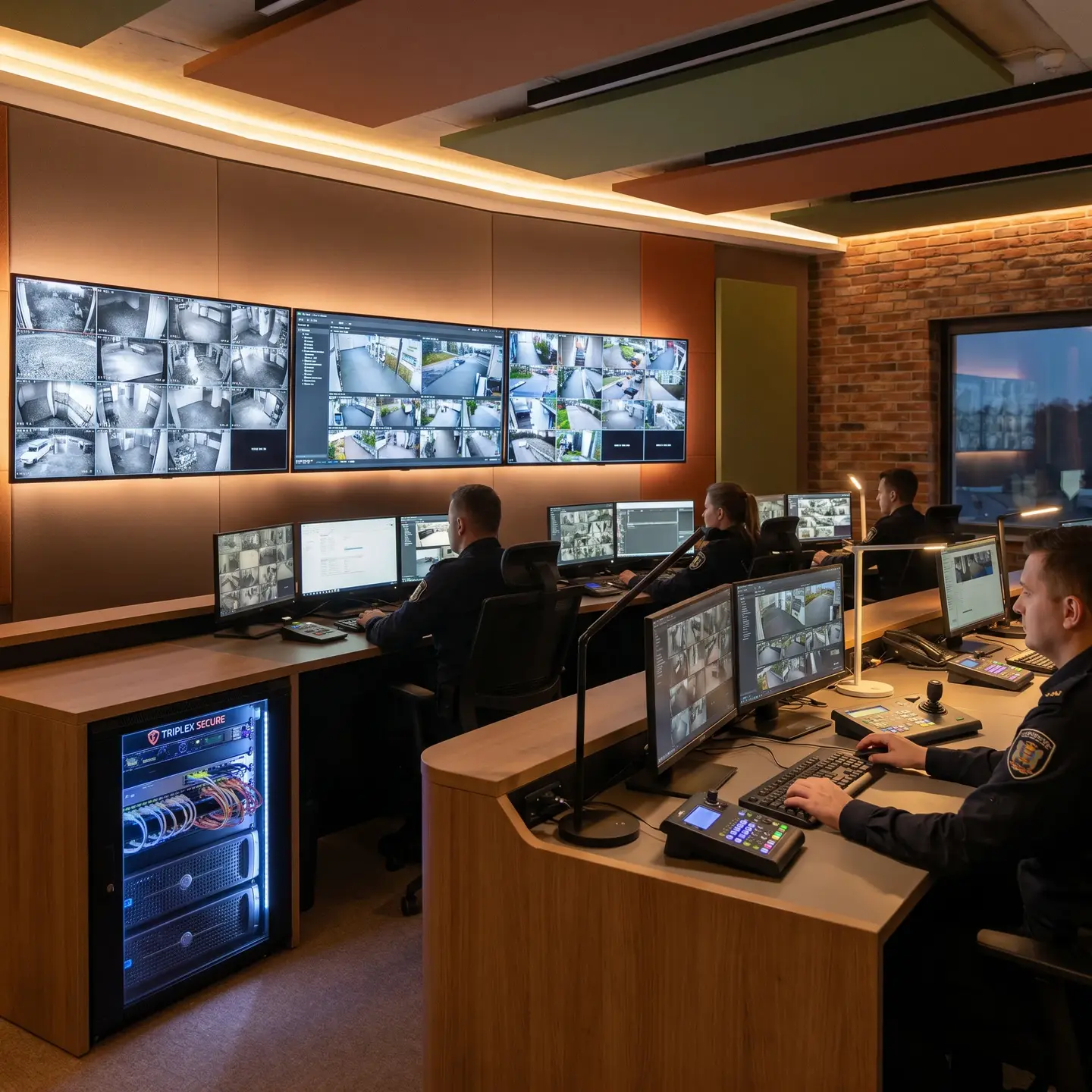
The surveillance technology decision isn’t independent of other building systems. Camera placement affects structured cabling routes. Recording requirements affect network capacity. Access control integration affects system design. Getting these elements to work together requires a partner who understands how security systems, IP camera systems, and structured cabling infrastructure support each other.
We’ve designed and installed both analog and IP systems across commercial facilities throughout Canada and the United States. Our approach starts with understanding your requirements and constraints, not with pushing specific equipment. Whether you’re maintaining an existing analog system, planning a complete IP deployment, or implementing a hybrid migration strategy, we can help you evaluate options and execute a solution that serves your facility’s actual needs.
As authorized dealers for manufacturers including Kantech, Uniview, Avigilon, and Akuvox, we provide manufacturer-backed warranties and access to professional-grade equipment. Our commercial video surveillance solutions include design, installation, commissioning, and ongoing maintenance—a single accountable partner rather than multiple vendors pointing fingers when something needs attention.
If you’re evaluating surveillance options for your facility, we’d welcome the opportunity to discuss your requirements. The right technology choice depends on your specific situation, and we’re here to help you work through that decision with the technical depth and operational perspective it deserves.
Frequently Asked Questions
IP cameras shine when you need higher resolution (up to 4K and beyond), fewer cameras covering more area, PoE cabling simplicity, easy system expansion, remote access to live and recorded video, and integration with access control or building management systems for better incident response and analytics.
Analog CCTV sends video over coaxial cables to a DVR, while IP cameras send digital video over Ethernet to an NVR or server-based VMS. IP systems support higher resolution, PoE power, easier remote access, and integrations, whereas analog often wins on simplicity and lower upfront infrastructure costs when coax is already in place.
A hybrid setup lets you keep working analog cameras while adding IP cameras where they matter most. Using encoders and tribrid recorders, you can centralize management, upgrade critical areas first, and replace older cameras over time instead of funding a full rip-and-replace project in one budget cycle.
Look at total cost of ownership: cabling and network upgrades, professional installation, storage for your retention needs, ongoing maintenance and firmware updates, power consumption, and future scalability. Most costs show up after deployment, so choices that simplify management and extend system life usually deliver better long-term value.
Analog is a strong fit if you already have extensive coax runs, need basic coverage rather than advanced analytics, have tight budgets, or want your surveillance completely isolated from your IT network. HD-over-coax options let you upgrade image quality without a full recabling project.