

Video Surveillance
Video Surveillance for Business: Designing Systems That Actually Protect

When we walk through a building with a facility manager reviewing their existing surveillance setup, one of the first things we notice is how often the conversation starts with camera count. “We have 24 cameras,” someone will tell us, as though that number alone determines whether the system protects anything. But here’s what we’ve learned across thousands of commercial installations: the number of cameras in your building has almost nothing to do with whether your surveillance system actually works.
Effective Video Surveillance isn’t about hardware volume—it’s about system design. Two strategically positioned cameras with proper field-of-view planning, appropriate resolution for identification distances, and integration into a responsive monitoring framework will deliver more actionable protection than a dozen units scattered across a facility without a coherent strategy. This distinction matters because surveillance systems that fail to protect don’t fail because of budget constraints or technology limitations. They fail because they were designed as purchasing exercises rather than engineered infrastructure.

Who This Article Is For
This article is written for commercial decision-makers—facility managers, property directors, building owners, and Security and IT directors—who need to understand what separates surveillance systems that actually protect from those that simply record. If you’re responsible for specifying, approving, or managing video surveillance for commercial buildings, multi-residential properties, or business facilities, the frameworks here will help you evaluate proposals, identify design gaps, and ask better questions before signing contracts.
This is not guidance for residential installations, consumer-grade equipment, or DIY surveillance projects. The operational stakes, compliance requirements, and infrastructure considerations for commercial surveillance operate on a completely different level than home security, and conflating the two leads to underperforming systems and frustrated building operators.
Why Camera Count Is the Wrong Metric
The procurement mistake we see most often starts with a well-intentioned RFP that specifies something like “provide 16 cameras for our facility.” That specification tells us nothing about what the system needs to accomplish. It doesn’t address:
- What areas require coverage and why
- What identification distance is needed at each location
- How lighting conditions vary across zones and times of day
- What retention period incidents typically require for investigation
- Who monitors footage and how they’re supposed to respond
A camera pointed at a loading dock from 200 feet away captures activity—but can you identify faces or read license plates when you need to investigate an incident three weeks later? A camera in a stairwell records footage continuously—but if no one reviews alerts and the recording overwrites after 72 hours, what exactly has the system protected?
When we design commercial video surveillance solutions, we start with protection objectives, not camera counts. What are you trying to accomplish? Deter unauthorized entry? Document transactions? Identify individuals in incident investigations? Monitor parking areas for vehicle activity? Each objective requires different camera positioning, resolution, and integration with your broader security infrastructure.
The Three Tiers of Surveillance: Capture, Storage, and Intelligence
Every surveillance system that actually protects operates across three interdependent tiers. Weakness in any single tier compromises the entire system, regardless of how strong the other components might be.
Tier One: Capture
Capture encompasses everything about how your cameras acquire images: placement, field of view, resolution, lens selection, and lighting considerations. This is where most facility managers focus their attention, but it’s only one-third of the equation.
Effective capture design starts with identification requirements at each camera location. A camera positioned at a building entrance should capture faces at 8-10 feet for identification purposes, requiring different resolution and lens selection than a parking lot overview camera monitoring vehicle movement at 150 feet. The technical specifications that make one camera excellent for entrance identification make it poorly suited for parking lot surveillance, and vice versa.
Lighting conditions significantly impact capture quality. Indoor cameras in controlled lighting environments perform very differently than outdoor cameras dealing with direct sunlight, shadows, and nighttime conditions. Network video technology fundamentals explain how wide dynamic range (WDR) and infrared capabilities address these challenges, but the design decision about which cameras need these features—and which don’t—depends entirely on site-specific analysis.
Tier Two: Storage
Storage determines how long your footage remains available for retrieval and how much that retention costs over time. This tier is where many surveillance systems silently fail their operators.
The relationship between resolution, frame rate, compression, and storage consumption is multiplicative. A 4K camera recording at 30 frames per second consumes roughly four times the storage of a 1080p camera at the same frame rate. Multiply that across 30 cameras and 30 days of retention, and storage decisions made during design directly determine whether you’ll have retrievable footage when you need it—and what that capability costs monthly.
Retention policies should align with realistic incident investigation timelines. Many commercial facilities discover problems days or weeks after they occur. If your storage overwrites after five days but your incident discovery timeline typically runs two weeks, your surveillance system documents nothing useful. We generally recommend that commercial facilities plan for at least 30 days of retention for primary coverage areas, with longer retention for high-value zones or areas with compliance requirements.
Tier Three: Intelligence
Intelligence is what transforms passive recording into active protection. This tier addresses when and how footage becomes actionable—through monitoring integration, alert protocols, and retrieval efficiency.
A recording system documents events after they happen. A surveillance system that actually protects generates timely responses through live monitoring, intelligent alerts, and integration with response procedures. When someone enters a restricted area after hours, does an alert reach someone who can respond? When motion is detected in a parking lot at 2 AM, does that information trigger a defined protocol?
This tier is where 24/7 professional monitoring services become essential for many commercial applications. Unless your facility staffs trained security personnel around the clock, footage captured at night sits dormant until someone reviews it—often days later, after the incident has concluded and the perpetrator has departed.
Coverage Design: Eliminating Blind Spots Without Over-Engineering
Comprehensive coverage sounds ideal until you examine the budget reality of wall-to-wall surveillance. Effective coverage design concentrates resources at decision points—the locations where people and vehicles make choices that matter to your security objectives.
Priority Coverage Zones
Every commercial facility has natural priority zones that deserve concentrated surveillance resources:
- Entry and exit points — Primary building entrances, delivery doors, emergency exits, and parking access points. These are chokepoints where everyone must pass.
- Transaction areas — Cash handling locations, inventory staging, loading docks, and any zone where valuable assets change hands or custody.
- High-value storage — Server rooms, equipment cages, pharmaceutical storage, and areas containing concentrated asset value.
- Common incident locations — Areas with historical problems, whether that’s a particular stairwell, a section of parking lot, or a perimeter fence line.
Coverage at these priority zones should be comprehensive enough to support identification and incident reconstruction. Secondary zones—hallways, open office areas, general parking—may justify overview coverage that monitors activity without the same identification capability.
Outdoor Surveillance Challenges
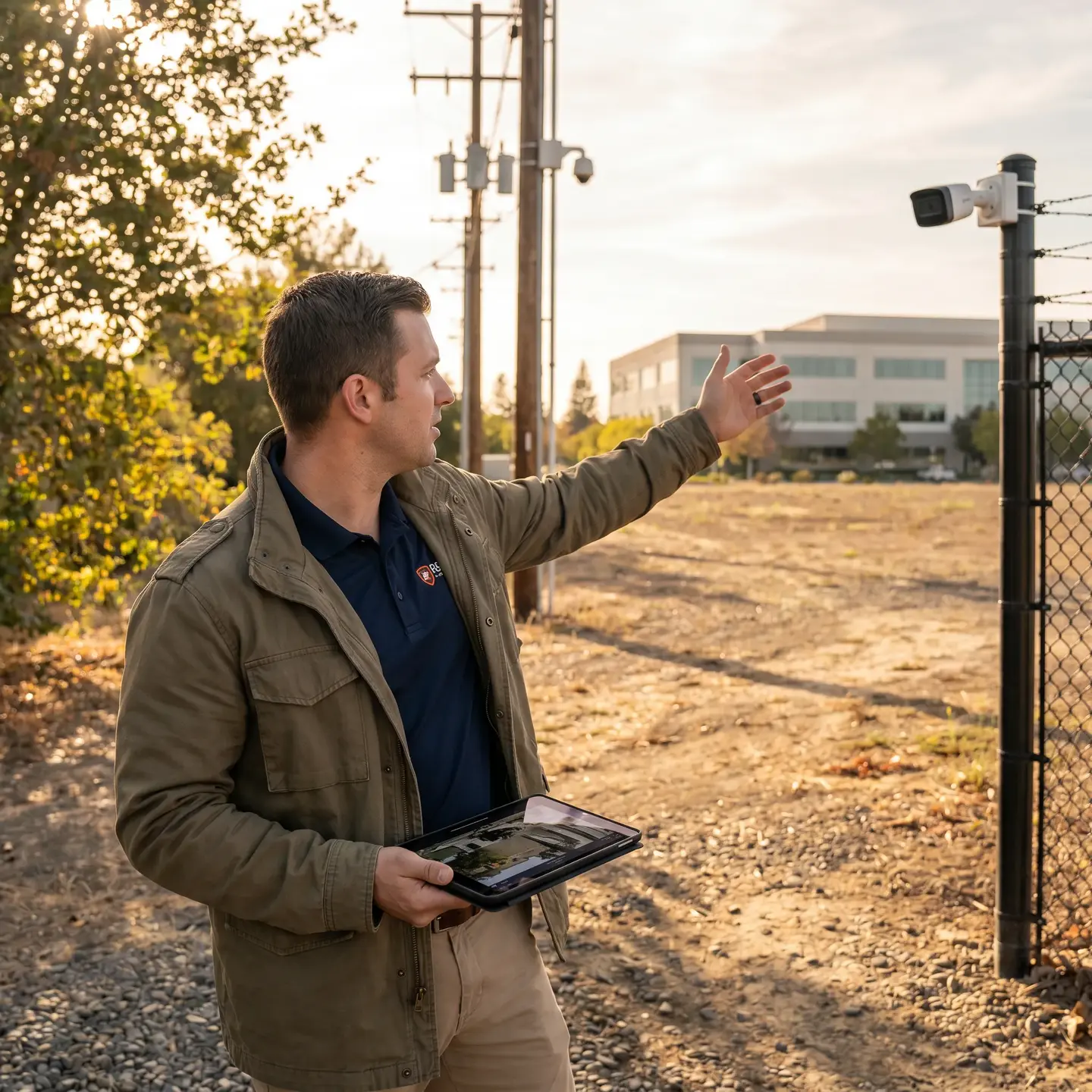
Outdoor video surveillance introduces complications that don’t exist in controlled indoor environments. Weather exposure, dramatic lighting variation between day and night, and longer viewing distances all impact camera selection and placement.
Perimeter monitoring for commercial facilities typically requires cameras rated for outdoor installation with appropriate housing, infrared capability for nighttime coverage, and positioning that accounts for how lighting conditions change throughout the day. A camera that produces excellent footage at noon may capture nothing useful when the sun sets behind the building and creates backlighting conditions.
For outdoor applications, IP camera system installation over proper network infrastructure provides the resolution and bandwidth necessary for useful footage at distance. Analog systems struggle to deliver identification-quality images beyond relatively short ranges.
Storage Architecture: Balancing Retention with Costs
Storage decisions made during system design directly impact long-term operational costs. Understanding the variables involved helps facility managers make informed tradeoffs rather than accepting whatever a vendor proposes.
Variables That Drive Storage Consumption
- Resolution — Higher resolution captures more detail but consumes more storage. Not every camera needs maximum resolution; match resolution to identification requirements at each location.
- Frame rate — Higher frame rates capture smoother motion but multiply storage requirements. Transaction areas may justify 30 fps while parking overviews might perform adequately at 10-15 fps.
- Compression — Modern compression codecs (H.265/HEVC) reduce storage requirements significantly compared to older standards (H.264) with minimal quality impact.
- Retention period — Longer retention means more storage. Plan retention based on realistic incident discovery timelines, not arbitrary numbers.
Edge Storage Versus Centralized Recording
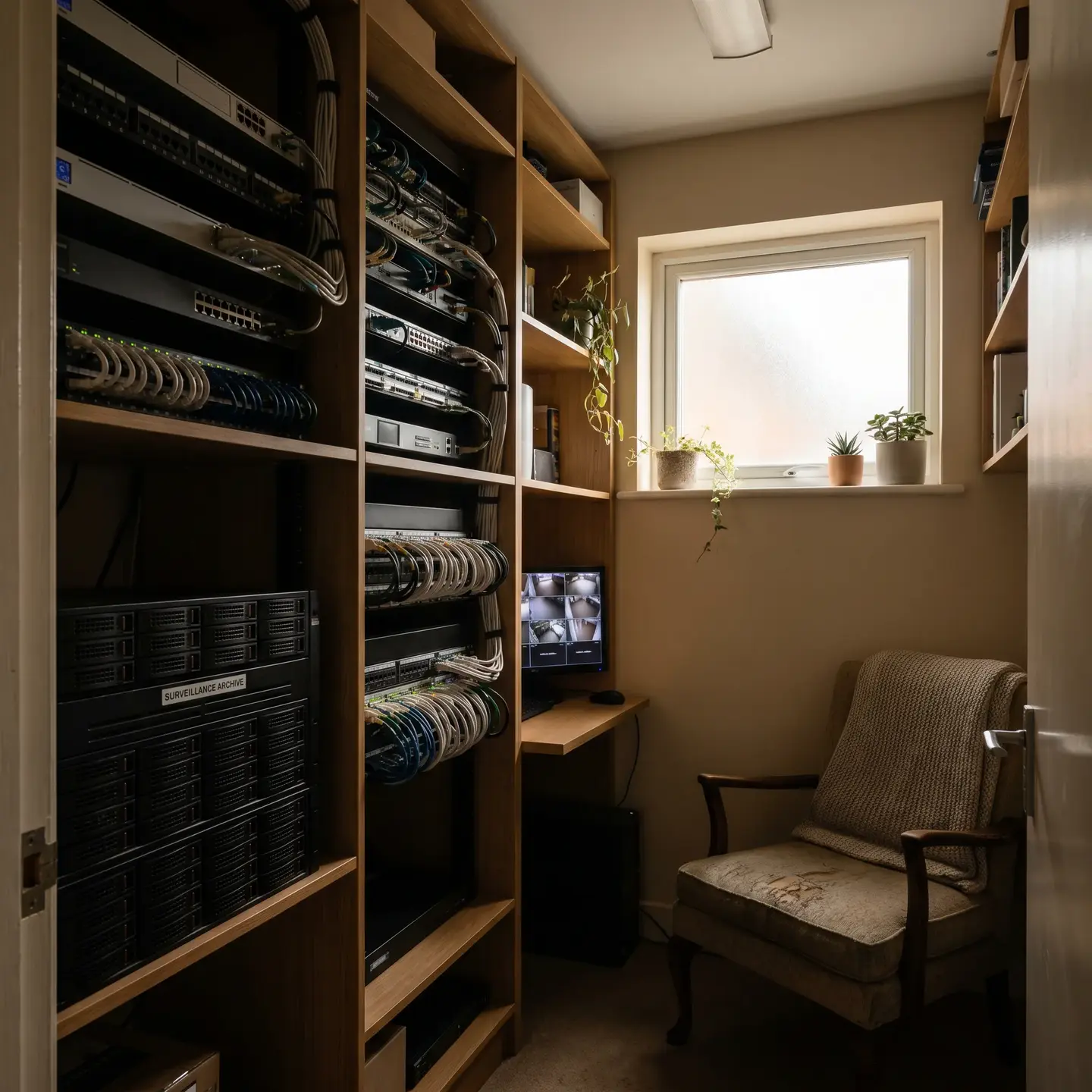
Network video recorders (NVRs) centralize storage in one location, simplifying management but creating a single point of failure. Edge storage—recording directly on cameras or local devices—provides redundancy but complicates retrieval and management.
Many commercial installations benefit from hybrid approaches: centralized recording for primary footage with edge storage as backup during network outages or as a buffer before footage transfers to central storage. The right architecture depends on your facility’s network infrastructure, redundancy requirements, and operational preferences.
Monitoring Integration: When Footage Becomes Protection
Here’s where the distinction between recording systems and surveillance systems becomes sharpest. Recording systems capture footage that someone might review later. Surveillance systems that actually protect generate responses when events occur.
Live Monitoring Protocols
Professional monitoring services watch camera feeds in real time and respond according to defined protocols. When motion is detected in a restricted area after hours, a trained operator verifies the alert, contacts your designated personnel, and dispatches law enforcement if warranted. This transforms passive recording into active protection.
For facilities without dedicated on-site security staff, professional monitoring is often the difference between surveillance that documents crimes and surveillance that prevents them. Our 24/7 monitoring capabilities integrate directly with integrated security systems, creating coordinated responses that address intrusion detection, access control, and video verification simultaneously.
Alert Configuration
Modern IP cameras and video management systems support intelligent alert configuration: motion detection zones, line-crossing detection, and analytics that distinguish people from vehicles from environmental motion. Proper configuration reduces false alerts to manageable levels while ensuring genuine events trigger appropriate responses.
Alert fatigue is real. If your system generates dozens of false motion alerts daily, the genuine alerts get ignored. Effective alert configuration balances sensitivity against noise, which requires understanding your facility’s normal activity patterns and adjusting detection parameters accordingly.
Common Surveillance Design Mistakes and How to Avoid Them
Across thousands of commercial installations, we see the same design mistakes repeatedly. Each has consequences that extend well beyond the initial oversight.
Mistake: Ignoring Lighting Conditions
Consequence: Cameras produce excellent footage during business hours but capture nothing useful at night or in backlit conditions.
Prevention: Conduct site surveys at multiple times of day. Specify cameras with appropriate infrared capability and wide dynamic range for challenging lighting environments. Plan supplemental lighting where cameras require it.
Mistake: Undersizing Network Infrastructure
Consequence: Video quality degrades, footage drops frames, and the system struggles to deliver images when you need them.
Prevention: Plan structured cabling infrastructure that supports your camera bandwidth requirements with headroom for future growth. Video surveillance generates substantial network traffic; treating it as an afterthought on existing infrastructure creates performance problems.
Mistake: Undersizing Storage Retention
Consequence: Critical footage overwrites before incidents are discovered or investigated.
Prevention: Base retention periods on realistic incident discovery timelines, not arbitrary defaults. Plan for at least 30 days of retention for commercial applications, with longer retention for high-priority zones.
Mistake: Neglecting Preventive Maintenance
Consequence: Camera lenses get dirty, viewing angles shift, and equipment fails without anyone noticing until footage is needed.
Prevention: Establish preventive maintenance schedules, include remote monitoring for system health, and position cameras where technicians can access them safely. Systems that work on installation day but receive no maintenance degrade predictably.
Mistake: Failing to Plan for Scalability
Consequence: Adding cameras or extending coverage requires replacing equipment or redesigning infrastructure.
Prevention: Design systems with growth capacity in network infrastructure, storage, and video management software licensing. The cost of planning for scalability during initial design is far less than retrofitting an undersized system.
Designing Systems That Actually Work
The surveillance systems that actually protect commercial facilities share common characteristics that have nothing to do with camera count or brand names:
- Coverage designed around objectives — Cameras positioned to accomplish specific protection goals, not scattered to fill space
- Resolution matched to identification requirements — Different zones may justify different specifications based on what the footage needs to document
- Storage sized for realistic retention — Footage remains retrievable when incidents are discovered, not just when they occur
- Monitoring integration that generates responses — Events trigger defined protocols, not just recordings that no one reviews
- Infrastructure that supports the system — Network capacity, power, and physical installation that keep everything running reliably
The video surveillance standards and best practices developed by organizations like NIST reinforce these principles: effective surveillance requires systems thinking that addresses capture, storage, and intelligence as interdependent components.
Moving Forward
If you’re evaluating your existing surveillance system or planning new installation, start by asking what the system needs to accomplish rather than how many cameras you need. Walk your facility with protection objectives in mind: Where do people enter and exit? Where are high-value assets located? What incidents have occurred historically, and what footage would have helped investigate them? How long after an incident would you realistically discover it?
The answers to these questions should drive design decisions. Camera specifications, storage architecture, and monitoring integration all follow from clearly defined objectives. Systems designed this way—with strategy before specifications—consistently deliver the protection that facility managers need, without the budget waste of over-engineering or the security gaps of underthinking.
This is the approach we take with every commercial surveillance project, and it’s why systems we design tend to work reliably from day one rather than requiring repeated adjustments after installation. Surveillance that actually protects isn’t about buying more cameras. It’s about designing systems where capture, storage, and intelligence work together toward defined protection objectives—and having a partner who understands that distinction.
Frequently Asked Questions
Start with your objectives, not a camera count. Identify what you need to see—faces at doors, license plates, cash handling areas—and at what distance. Then design camera placement, field of view, and resolution around those needs. The right number of cameras comes from this design, not the other way around.
Recording only helps after something goes wrong. Without trained staff watching cameras, 24/7 professional monitoring or intelligent alerts turn your system into real protection. After-hours intrusions, motion in restricted areas, or unusual activity trigger immediate response instead of sitting unseen on a hard drive.
Most underperforming systems weren’t engineered—they were just hardware purchases. Common issues include cameras too far from targets to identify anyone, poor nighttime lighting, storage that overwrites too quickly, and no monitoring or alerts. Events go unnoticed until it’s too late, if they’re caught at all.
Focus on decision points and high-impact zones: main entrances and exits, delivery doors, parking access, cash handling areas, high-value storage like server rooms, and locations with incident history. Secondary areas like hallways or general parking can use lower-detail overview coverage to stretch your budget further.
Match retention to how long it typically takes to discover an issue. Most commercial properties need at least 30 days for primary areas, and longer for high-value or regulated zones. If your recorder overwrites in 5–7 days but you usually notice problems weeks later, you’re capturing nothing useful.